
BookSync Link
ActiveChrome Extension · In progress · Started Mar 2026
The problem
Chrome's built-in bookmark manager is stuck in 2010. No tags, no descriptions, no way to filter or organize at scale. Power users with hundreds of bookmarks end up with a graveyard of folders they never revisit — because finding anything takes longer than just Googling it again.
The solution
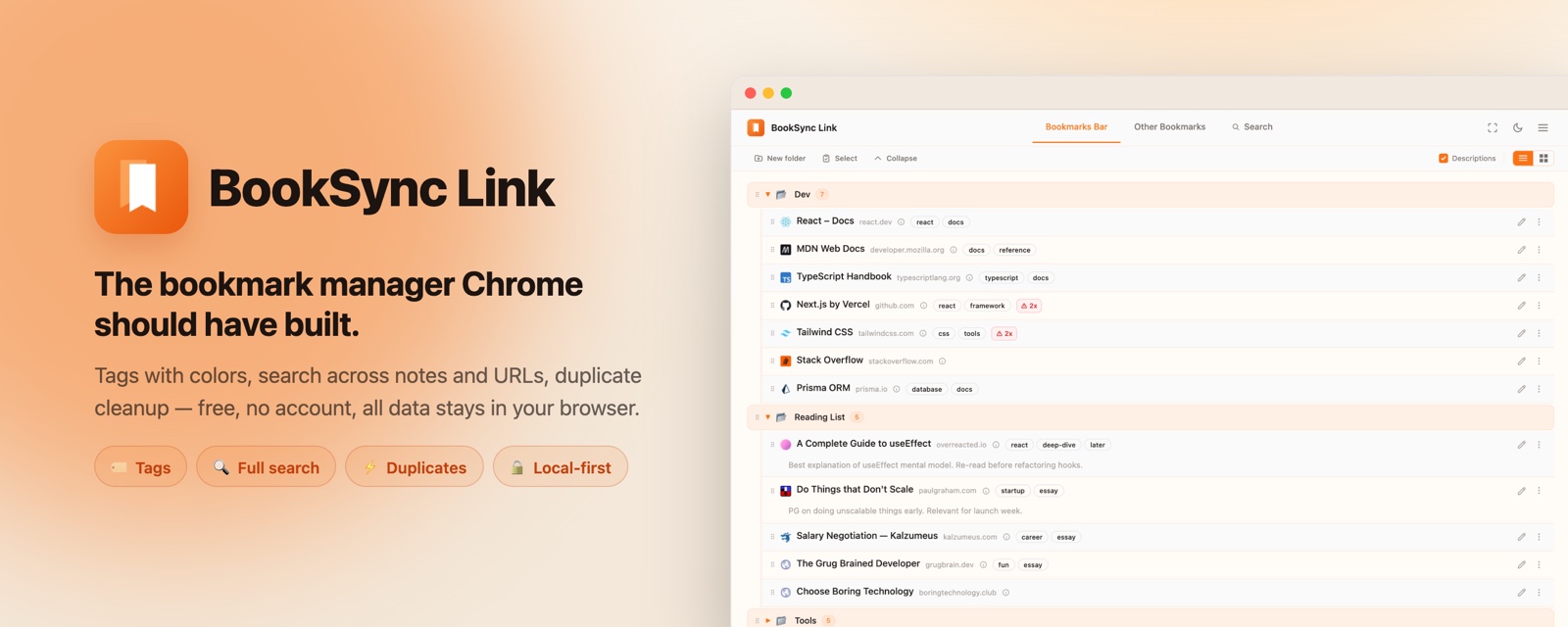
BookSync opens as a full browser tab and gives you a real interface for managing bookmarks — tags, descriptions, search, drag & drop reordering, duplicate detection, and a trash bin. Everything stays local in Chrome, no account required.
How it works
- Click the icon — BookSync opens as a full tab, showing all your bookmarks organized by folder
- Tag & describe — add color-coded tags and descriptions to any bookmark for better discoverability
- Search & filter — find bookmarks by name, URL, tag, or description; filter by duplicates, date, or location
- Organize — drag and drop bookmarks between folders, create and manage folder structure
Key features
- Tags & descriptions — custom color-coded tags and notes for every bookmark, stored locally
- Dual view modes — list view with zebra striping or card/grid view with configurable columns (3-9)
- Advanced search — search by name, URL, tag, description; filter by tags (AND logic), duplicates, dates
- Drag & drop — reorder bookmarks within and between folders
- Duplicate detection — red badge on bookmarks that appear in multiple folders
- Trash & restore — deleted bookmarks saved locally with configurable retention (3/7/30 days), restore to original location
- Keyboard navigation — arrow keys, Enter for menu, Delete to trash
- Works with Navigator — optionally shares tags and descriptions with the Navigator new tab extension
Privacy
All data stays in your browser. No servers, no accounts, no tracking. Privacy policy.
Current status
In active development — core features complete, preparing for Chrome Web Store submission.
React 18TypeScriptTailwind CSS