
BookSync Navigator
ActiveChrome Extension · In progress · Started Mar 2026
The problem
Chrome's new tab page shows a search bar and a few shortcuts. That's it. If you use bookmarks heavily, you're always two clicks away — open the bookmarks bar, find the folder, scroll through it. Extensions like Momentum look pretty but don't help you get to your bookmarks faster.
The solution
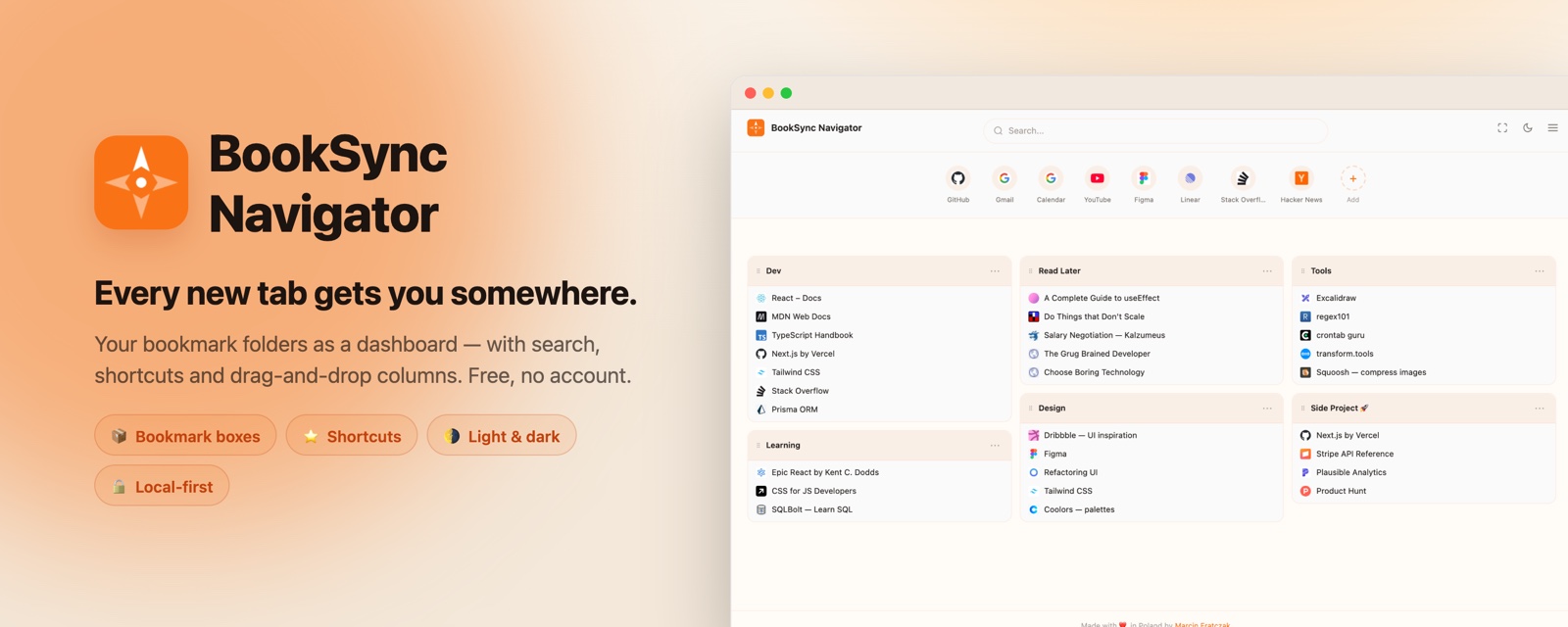
Navigator replaces Chrome's new tab with a customizable dashboard built around your existing bookmark folders. Each folder becomes a box you can drag, resize, and arrange in columns. Your bookmarks, one tab away.
How it works
- Install — Navigator replaces your new tab page. Uninstalling restores Chrome's default
- Pick folders — choose which bookmark folders to display as boxes on your dashboard
- Arrange — drag boxes between columns, resize columns, adjust the layout to your workflow
Key features
- Bookmark boxes — each box displays the contents of a Chrome bookmark folder, with configurable display options
- Column layout — drag-and-drop columns with resizable widths, create new columns by dragging to the edge
- Search bar — configurable search engine (Google, DuckDuckGo, Bing, Brave, Ecosia, Startpage)
- Shortcuts bar — quick-access links with favicons, drag to reorder, overflow into dropdown
- Light/dark/system theme — follows your preference or system setting
- Resizable header — drag handle to adjust spacing around the search bar
- Works with BookSync — when BookSync is installed, Navigator displays tags and descriptions alongside bookmarks
Privacy
All data stays in your browser. No servers, no accounts, no tracking. Privacy policy.
Current status
In active development — core features complete, preparing for Chrome Web Store submission.
React 18TypeScriptTailwind CSS